



AnyCheck
Implant Stability Meter
AnyCheck is a dental implant stability meter certified by CE and FDA, and TGA Registered (ARTG Included). Adopting an advanced tapping measurement method that eliminates the need to remove the healing abutment, it delivers IST values more quickly, easily, and safely than RFA-based measurement methods — without SmartPeg consumables and with no ongoing replacement cost.
What clinicians are saying
Real-world feedback from an implant clinician using AnyCheck in practice.
"Any implant clinician experienced enough to have had an implant betray them is familiar with that moment of anxiety when you turn the healing abutment for the first time and wait to see if the implant comes with it.
It doesn't happen often, but the occasion it does is enough to fuel the anxiety for a long time. That heartbreaking moment is a day-killer. The moment the implant moves, you have passed the moment of no return. You cannot leave the implant.
Do you deal with it on the spot? You don't have the time; you are not even set up let alone scheduled long enough. Do you remove the implant and rebook? But the tissues are going to start collapsing; and you didn't even prep the patient, they came in thinking they are being scanned for a crown and now the implant is gone?
Red flags are best identified early, definitely before the point of no return.
As a long term Osstell ISQ user I was tossing up if I could justify buying the AnyCheck "just to test MUAs". However, after having used the AnyCheck it is now my preferred system.
There are the obvious things:
- Faster and less fiddling
- No peg stock to maintain
- No consumable cost
But the defining advantage has been relieving the anxiety of that first turn-moment as the first step of the appointment, and knowing I can stop, emotionally prepare the patient about a failure and re-book to a time I can deal with a failure to the highest standard without the implant hanging on the end of my driver."

Clinical Documentation
When to use AnyCheck
AnyCheck is suited to any stage where implant stability needs to be assessed — from placement through to loading and long-term maintenance.
Designed to simplify every measurement
Three features that set AnyCheck apart from both tapping-type predecessors and RFA-based measurement systems.

Easy & Fast
Tap directly on the healing abutment, MUA, or restoration
By directly tapping on the healing abutment, AnyCheck delivers stable results in under 3 seconds — significantly faster than RFA-type devices, which require mounting and dismounting a transducer peg before and after each measurement.

Efficient
No abutment removal — and capable of measuring beyond implants
Measurement through the existing healing abutment, MUA, or final restoration means no extra step to disconnect and reconnect components. AnyCheck can also tap directly on natural teeth and prostheses — extending its utility to mobility assessment and early peri-implantitis diagnosis beyond what RFA devices allow.

No Consumable Cost
No SmartPeg — no ongoing replacement cost
RFA systems require a SmartPeg transducer for each implant measurement. AnyCheck requires no consumable at all — the tapping rod contacts the abutment directly, eliminating peg stock management and the per-measurement consumable cost entirely.
IST values, stability tracking & clinical correlation
AnyCheck measurement performance is supported by manufacturer design data and peer-reviewed clinical research comparing IST to established ISQ measurement.
① NEO IST Value — Colour-Coded Stability Display

- Lower values (Red, 1–59) indicate higher implant mobility; values in the Green range (65–99) indicate good stability appropriate for loading consideration
- IST values are calibrated for a 4 mm healing abutment — correction factors apply for longer or shorter abutment heights (see Operating Tips)
② Implant Stability Tracking Over Time — No SmartPeg Required

No Need for SmartPeg — Direct Tapping

Implant Stability Test — Weekly IST Tracking
- Serial IST measurements can be taken at each recall appointment without removing the healing abutment, giving a continuous stability curve through the osseointegration window
③ Clinically Correlated with ISQ Scale & Safer Operation

Clinical Follow-up Correlation (Immediately to 6 Weeks) — Source: BMC Oral Health (2022)
- In Vivo Clinical Correlation (BMC 2022): AnyCheck shows a statistically significant positive correlation with the RFA (Osstell ISQ) method across multiple follow-up intervals: immediately after implantation (r = 0.64), 1 week (r = 0.29), 2 weeks (r = 0.68), 3 weeks (r = 0.53), 4 weeks (r = 0.68), and 6 weeks (r = 0.56). Both IST and ISQ tracking curves decrease during the first postoperative week and recover from the second week.
- In Vitro Biomechanical Validity (JOMI 2021): Controlled testing confirms a near-perfect mathematical correlation with resonance frequency analysis benchmarks (IST & ISQ: ρ = 0.99, P < .001; IST & PTV: ρ = -1.00, P < .001; ISQ & PTV: ρ = -0.99, P < .001), indicating high sensitivity to implant micro-mobility changes.
- Intelligent Safety Mode: AnyCheck significantly reduces tissue strain by using only 6 automated strokes compared to legacy 16-stroke percussion systems. If secondary stability drops to 59 IST or below, the safety cut-out mechanism automatically restricts the cycle to 2 taps to protect the vulnerable bone-implant interface.
AnyCheck — device components
Ergonomically designed to provide a comfortable measurement experience for both clinician and patient.

LCD Screen
Results in under 3 seconds
Results are displayed on the LCD screen in under 3 seconds, ensuring quick and efficient measurements. IST values are shown in colour (Red / Orange / Green) for immediate visual interpretation at a glance.

ON/OFF & START Switch
Simple, single-button operation
AnyCheck is user-friendly with a simple control system — one button to power on and one press to start a measurement. Its compact, lightweight design (100 g) makes it comfortable to hold and manoeuvre throughout the appointment.

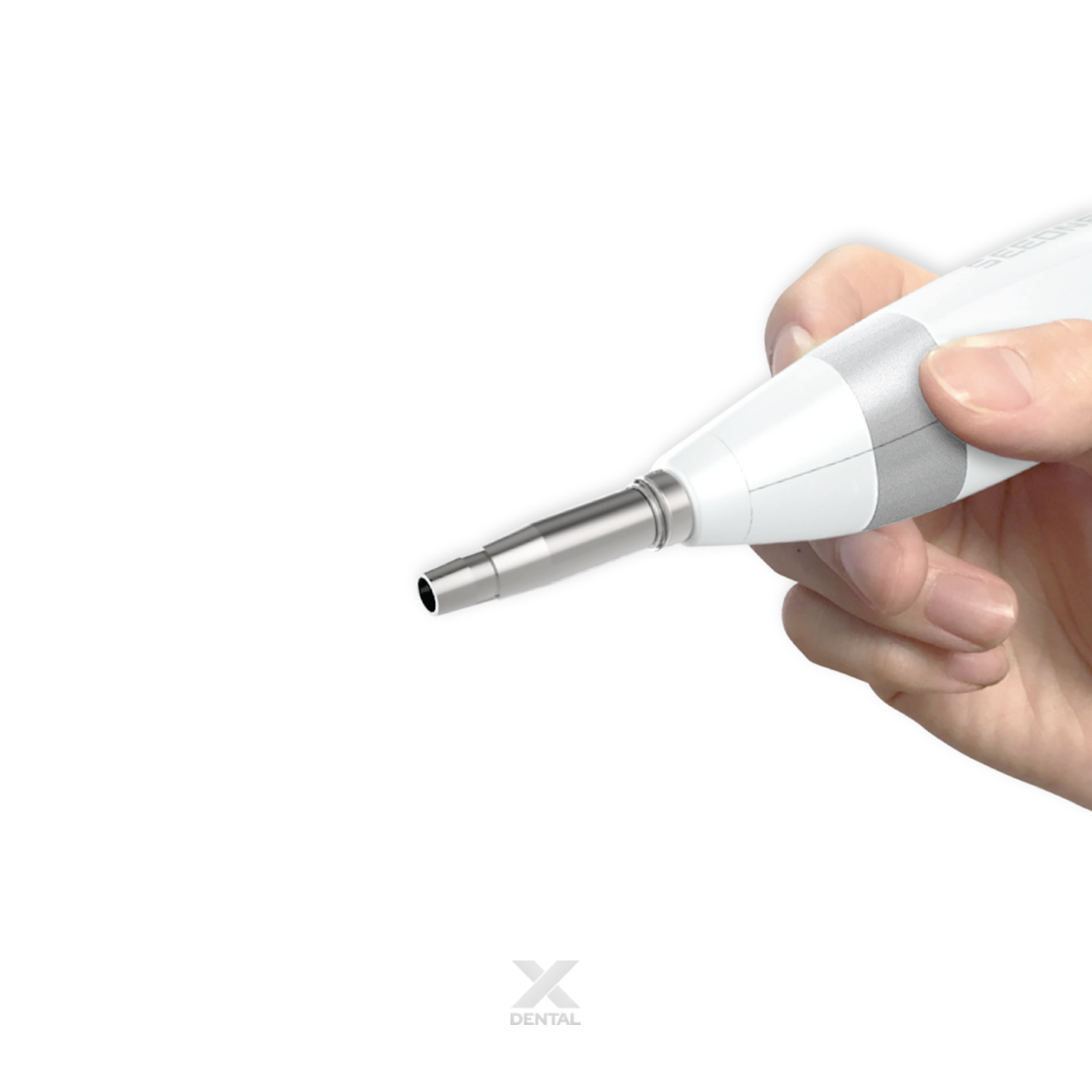
Tapping Rod Front Guide
Safe, abutment-level measurement from day one
The Tapping Rod Front Guide positions the rod perpendicularly against the healing abutment surface for a consistent, controlled tap. Measure implant stability safely right after implant placement — without removing the healing abutment.
AnyCheck in clinical practice
Cases demonstrating AnyCheck stability measurement across a range of clinical scenarios. Cases courtesy of NeoBiotech.
Case 1


Case 2


Case 3


Technical specifications
| Device type | Dental implant stability meter — tapping motion |
| Dimensions | 207 × 34.5 × 32 mm |
| Weight | 100 g |
| Connectivity | USB cable C-Type |
| Battery | 420 mA |
| Measurement accuracy | Value ± 3 |
| Hitting speed | 0.5 seconds / 1 stroke |
| Hitting strength | 2.2 N |
| Hitting number | Normal Tapping: 6 strokes · Safety Mode: Stops automatically after 2 taps (for IST ≤ 59) |
| Hitting angle | 0°–90° |
| Hitting safeguards | Audible warning after 3 strokes |
| Infection prevention | Disposable tapping rod cover — material: LDPE |
| Regulatory approvals | CE · FDA Certified · TGA Registered (ARTG Included) |
| Manufacturer | Neobiotech Co., Ltd. |
| Origin | Made in Korea |
Getting the most from AnyCheck
Practical guidance for consistent, reliable IST measurements.
| Healing Abutment Height | Displayed IST Correction |
|---|---|
| 7 mm | Displayed IST + 6 |
| 6 mm | Displayed IST + 4 |
| 5 mm | Displayed IST + 2 |
| 4 mm (Standard) | Displayed IST value (no correction) |
| 3 mm | Displayed IST − 2 |
| 2 mm | Displayed IST − 4 |
| 1 mm | Displayed IST − 6 |
In tapping-type devices, longer healing abutments produce lower displayed values than the actual stability; shorter abutments produce higher values. IST changes by 2 for every 1 mm difference in abutment height.